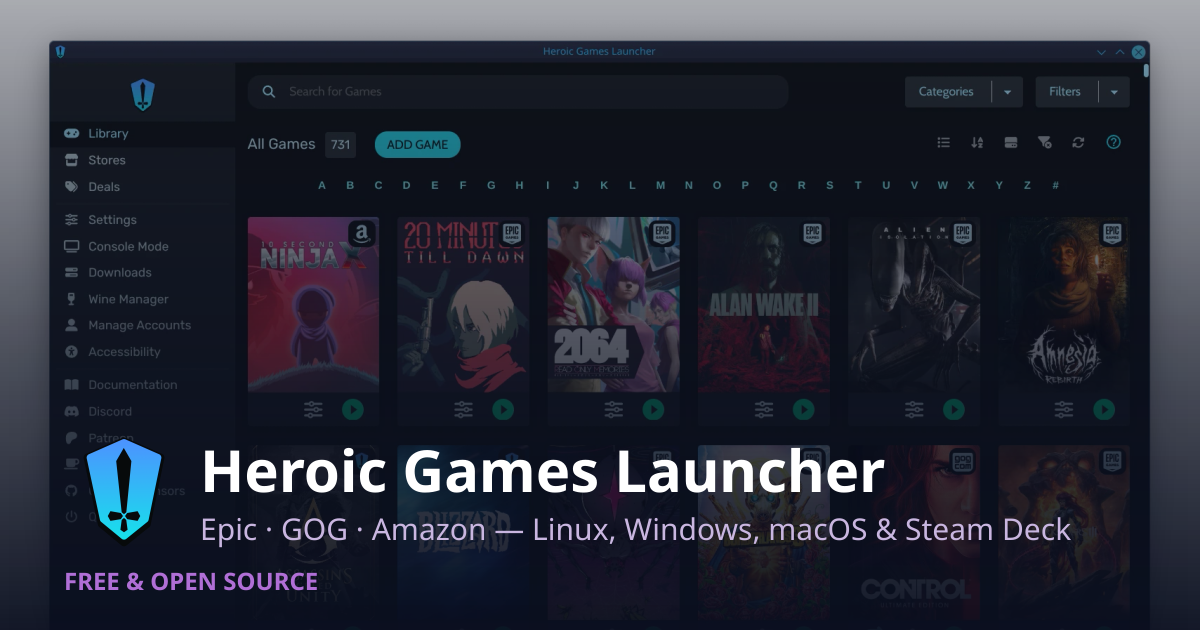
Heroic Games Launcher simplifies running Windows games on Linux by acting as a graphical wrapper over native Linux CLI toolchains (Legendary for Epic, gogdl for GOG, and Nile for Amazon Games).
Instead of requiring manual terminal commands or Wine bottle setup, Heroic automates the entire runtime chain: runner selection, prefix isolation, translation layer injection, and performance flags.
1. Integrated Wine & Proton Management
The Built-In "Wine Manager"
Heroic features an integrated Wine Manager tab that queries GitHub releases to download, update, and manage compatibility runtimes directly:
-
GE-Proton & Wine-GE: Heroic automatically fetches community releases from GloriousEggroll, which include custom patches for media foundation codecs, game-specific fixes, and performance enhancements.
-
Wine-Staging / Wine-Lutris / Kron4ek: Users can install alternative Wine builds directly within the UI.
-
Steam Proton Auto-Detection: Heroic automatically scans your system for Steam installations and detects any official Valve Proton releases (e.g., Proton 9, Proton Experimental) or custom GE-Proton versions in
~/.steam/root/compatibilitytools.d/.
2. Per-Game Wine Prefixes (Bottle Isolation)
For every game installed, Heroic creates or assigns an isolated Wine Prefix (a virtual Windows directory structure containing drive_c, system32, registry.reg, etc.).
-
Isolation: Isolating games prevents registry corruption or conflicting DLL overrides from breaking other titles.
-
Path Customization: Prefixes default to
~/.var/app/com.heroicgameslauncher.hgl/config/heroic/prefixes/(Flatpak) or~/.config/heroic/prefixes/(Native), but can be routed to external drives. -
Prefix Reset & Utility: Heroic provides options to run Wine configuration (
winecfg), access the Wine registry (regedit), or clear/reset the prefix without deleting game files.
3. Graphics Translation Layer Integration (DXVK & VKD3D-Proton)
Windows games rely on DirectX (DX9, DX10, DX11, DX12), which Linux graphics drivers do not natively execute. Heroic manages the translation layers that convert DirectX calls into Vulkan on the fly:
-
DXVK (DirectX 9/10/11 → Vulkan): Translates standard D3D calls to Vulkan. Heroic includes built-in DXVK downloaders and allows users to toggle DXVK on or off per game, select specific DXVK versions, or auto-update DLLs.
-
VKD3D-Proton (DirectX 12 → Vulkan): Valve’s fork of VKD3D specifically optimized for Direct3D 12 performance in gaming.
-
D3DExtras & LatencyFleX: Heroic can automatically deploy supplementary libraries for d3dcompiler utilities or latency reduction algorithms.
How Heroic Applies These Layers
When a user toggles DXVK or VKD3D in a game’s settings, Heroic performs two actions:
-
DLL Injection/Symlinking: Copies or links the required DLL files (
d3d11.dll,dxgi.dll,d3d12.dll) directly into the Wine prefix’ssystem32/syswow64folders. -
DLL Overrides (
WINEDLLOVERRIDES): Passes environment variables instructing Wine to prioritize native Vulkan-translated DLLs over Wine's default implementation (e.g.,WINEDLLOVERRIDES="d3d11,dxgi=n,b").
4. Performance Optimizations & Wrapper Toggles
Within each game's settings menu, Heroic exposes toggles for Linux performance tools:
-
Synchronization Engines (Esync / Fsync):
-
Esync (Eventfd): Replaces Wine’s heavy thread synchronization server with Linux eventfds to reduce CPU overhead.
-
Fsync (Futex): Uses Linux kernel-level futexes (
FUTEX_WAIT_MULTIPLE) for even faster thread synchronization (enabled by default on modern kernels).
-
-
Feral GameMode (
gamemoded): Toggling GameMode tells the system to temporarily optimize CPU governors, GPU clocks, process priorities, and screen saver suppression while the game runs. -
MangoHud: Renders a customizable performance overlay (FPS, CPU/GPU temperature, VRAM, frame pacing) directly over the Vulkan swapchain.
-
vkBasalt: Enables post-processing shaders (Sharpening, SMAA, Reshade filters) at the Vulkan layer.
5. How It Executes Under the Hood
When you click Play on an Epic or GOG game in Heroic, Heroic constructs a unified execution command behind the scenes.
For example, launching a DirectX 11 game via Legendary generates a shell execution similar to this:
Bash
gamemoderun mangohud \
  WINEDLLOVERRIDES="d3d11,dxgi=n,b" \
  WINEPREFIX="/path/to/game_prefix" \
  WINE_FULLSCREEN_FSR=1 \
  /usr/bin/legendary launch <Game_App_ID> \
    --wine "/path/to/GE-Proton/files/bin/wine" \
    --wrapper "mangohud --dlsym"
By abstracting this complex orchestration into clean toggles and drop-down menus, Heroic provides the raw performance of native Proton/Vulkan execution without requiring manual Wine scripting.
No comments:
Post a Comment